



Why Notary Software Is Reshaping the Legal Industry
Disclaimer: This blog post is for informational purposes only and does not constitute legal advice. Please consult an attorney for guidance on specific laws regarding Remote Online Notarization (RON), digital signatures, and related legal matters. As laws concerning RON and notarization are subject to frequent changes, it is advisable to verify current regulations with your local government.
Notary software for the legal industry refers to digital platforms that allow notaries and legal professionals to prepare, verify, sign, and seal documents entirely online, without requiring all parties to be in the same room.
Here is a quick overview of what these tools typically offer:
- Remote Online Notarization (RON): Conduct notarizations over live, secure, two-way video using a device with a webcam, microphone, and a stable internet connection.
- Identity verification: Confirm signer identities through knowledge-based authentication (KBA), credential analysis, and biometric checks.
- Digital signatures and seals: Apply tamper-evident electronic signatures and notary seals directly to documents.
- Audit trails and session recording: Maintain a complete, searchable record of every notarization for compliance and fraud prevention.
- Electronic notary journals: Log all notarial acts in a secure, state-compliant digital format.
For enterprise legal teams and financial institutions managing high volumes of mortgages, powers of attorney, and contracts, these features can mean the difference between a smooth closing and a costly delay. Consider this: Organizations often report fewer document errors after adopting digital workflows.
The demand for these tools is real. There were over 4.4 million notaries in the United States in 2021, and pressure for remote, on-demand notarization has grown steadily since then. Legal teams that still rely on in-person notarizations are finding that the process creates friction for clients, introduces document errors, and slows down transactions that need to move fast.
This guide walks through how notary software works, what to look for, and how to evaluate whether it fits your firm’s compliance and workflow needs.
Note: RON laws vary significantly from state to state. Some states have comprehensive frameworks supporting remote online notarization, while others may have restrictions or different requirements. Before implementing any RON solution, check with your state’s regulatory authorities and consult with an attorney familiar with notarization laws in your jurisdiction to ensure compliance with current local legislation.
Understanding Remote Online Notary Software in the Legal Industry
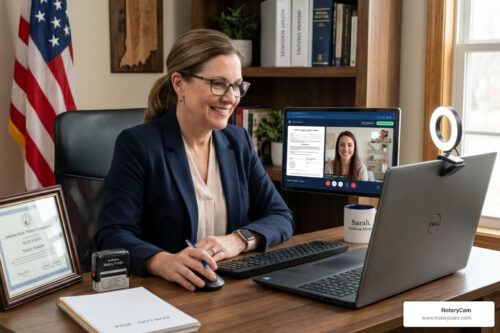
Remote Online Notarization, or RON, allows a RON commissioned notary to perform their duties using specialized online notary software instead of physical paper and ink. Unlike traditional notarization, where the signer and notary must be in the same physical room, RON uses secure audio-video technology to connect parties across different locations. This shift helps law firms handle urgent documents like affidavits or property deeds without the logistical headache of travel.
In a typical digital workflow, a legal professional uploads a document to the platform. Once the document is ready to sign the signer is either invited to the session, or invited to schedule a session. The signer will also receive a link to complete credential analysis at the time. Credential analysis is a third-party review of the signer’s government issued photo ID. The signer must use a device with a webcam and audio capabilities, along with a reliable internet connection. The second factor authentication,Knowledge-Based Authentication or KBA, will happen on camera during the signing session. This process modernizes the legal industry by removing the “paper mountain” often associated with traditional law offices.
The legal validity of these acts depends on the specific jurisdiction where the notary is commissioned. Many states have passed laws specifically allowing for this technology, while others are still in the process of updating their statutes.
Note: RON laws vary significantly from state to state. Some states have comprehensive frameworks supporting Remote Online Notarization, while others may have restrictions or different requirements. Before implementing any solution, check with your state’s regulatory authorities and consult with an attorney familiar with notarization laws in your jurisdiction to ensure compliance with current local legislation.
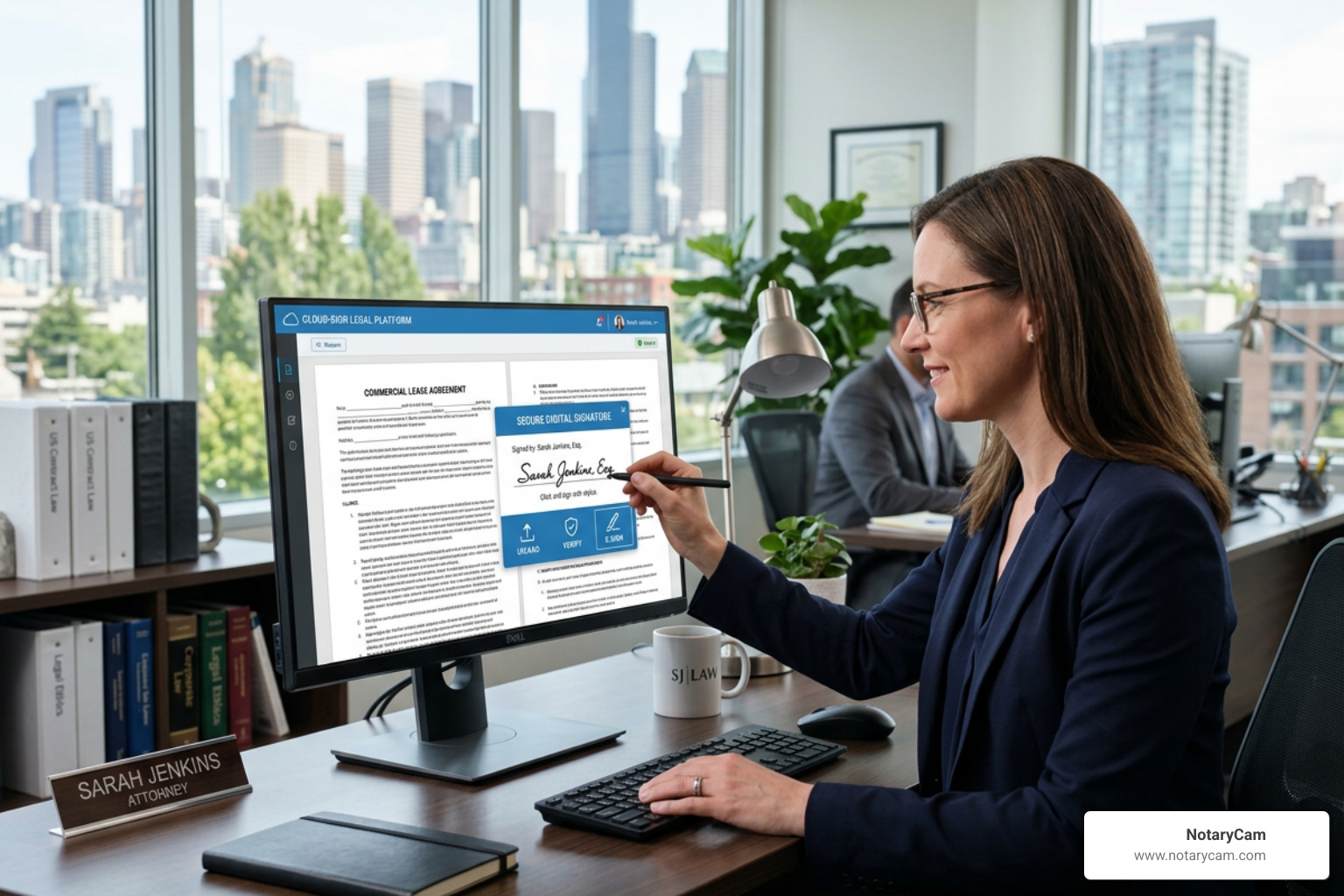
Essential Tools in Notary Software Legal Industry Platforms
To meet the high standards of the legal field, notary software for the legal industry should include robust security features. Identity verification is the cornerstone of any secure platform. This often involves Credential Analysis, where a third-party vendor authenticates the signer’s government-issued photo ID, and Knowledge-Based Authentication (KBA), which asks the signer questions only they would know.
Another critical component is the digital notary journal. Unlike a paper book that can be lost or damaged, an electronic journal provides a searchable, permanent record of all notarial acts. This helps law firms maintain an organized history for future audits or legal disputes. Many platforms also include tamper-evident seals that show if a document has been altered after the signature was applied.
For those interested in the technical requirements for these digital tools, the Electronic Notarization Handbook – Washington, DC provides an excellent example of the standards expected by regulatory bodies. Using enotary software that meets these standards can support your firm’s efforts to stay current with evolving rules.
All participants in a remote session need a computer, laptop or tablet with webcam and audio capabilities, a browser like Google Chrome, and a reliable internet connection to successfully complete thesigning session.
Improving Efficiency and Client Experience
The use of notary software for the legal industry can lead to significant improvements in how a law firm operates. In a traditional setting, a client might need to take time off work to visit an office or find a mobile notary. With an online notary for attorney workflow, the client can sign documents from their own home or office. This level of accessibility often leads to higher client satisfaction and faster case resolutions.
Efficiency also improves internally for the law firm. Digital platforms use tagging to indicate where both the signer and notary must complete required fields, helping guide the execution process. While tagging does not eliminate errors, especially if fields are not properly set up in advance, it can support more consistent document completion when configured correctly. When documents are executed properly the first time, the firm avoids the cost and delay of re-sending paperwork. This is particularly valuable for time-sensitive matters like real estate closings or court filings.
For a RON session to be successful, all parties involved must have a device with webcam and audio capabilities and a reliable internet connection. When these technical needs are met, the entire process can often be completed in a fraction of the time it takes to coordinate an in-person meeting.
How Notary Software Fits Into Existing Legal Workflows
One of the more practical questions enterprise legal teams tend to ask is not whether RON works, but how it fits into what they are already doing. For firms running document management systems, case management platforms, or loan origination software, adding a new tool only creates value if it connects to existing infrastructure rather than sitting alongside it as a separate step.
Mature notary software platforms typically offer API integrations that allow legal teams to trigger notarization workflows from within their existing systems. Rather than exporting a document, uploading it to a separate platform, and then reimporting the completed file, the notarization can often happen as a natural step within the document’s existing path. This can reduce manual handoffs and the version control issues that tend to follow them.
Multi-party signings are another workflow consideration worth evaluating early. Legal documents often require signatures from multiple parties across different locations, and not all platforms handle this equally well. Before selecting a platform, it is worth confirming how it manages signing, signer notifications, and session scheduling when more than two parties are involved.
Implementation timelines for legal teams tend to be shorter than most enterprise software projects, though the complexity can vary depending on how deeply the platform needs to integrate with existing systems. A phased rollout, starting with one practice area or document type before expanding firm-wide, can help build internal familiarity and surface any workflow gaps before they affect client-facing transactions.
Note: RON laws vary significantly from state to state. Before integrating notary software into your firm’s workflows, consult with your state’s regulatory authorities and an attorney familiar with notary and electronic transaction laws in your jurisdiction. Participants need a device with webcam and audio capabilities and a reliable internet connection.
Benefits of Adopting Notary Software Legal Industry Solutions
Adopting a digital solution offers more than just convenience. It provides a centralized way to manage document workflows. For example, using online notarization for power of attorney services allows families to handle sensitive legal matters even if they are in different parts of the country. This flexibility is a major advantage for modern law firms looking to expand their reach beyond their local neighborhood.
Cost savings are another major factor. Firms can save on courier fees, paper, ink, and the administrative time spent tracking down physical documents. Furthermore, the secure storage provided by many platforms means that important records are protected from physical loss and are easily retrievable for years to come.
| Feature | Traditional Notarization | Remote Online Notarization (RON) |
|---|---|---|
| Location | Must be physically present | Can be anywhere with internet |
| Identity Check | Visual inspection of ID | KBA and Credential Analysis |
| Document Format | Physical paper | Electronic (PDF) |
| Record Keeping | Physical journal | Secure digital journal and video |
| Signature | Ink on paper | Tamper-evident digital signature |
Participants in any RON session must ensure they have a device with webcam and audio capabilities, a current browser like Google Chrome, and a reliable internet connection to access these benefits.
Security and Compliance Standards for Law Firms
Security is a top priority when choosing remote notary software. In the legal industry, protecting client data is not just a good practice, it is a professional requirement. Top-tier platforms use advanced encryption to protect documents both while they are being sent and while they are stored. This helps prevent unauthorized access to sensitive legal information.
Many platforms highlight their approach to security and compliance through their technology, processes, and alignment with applicable regulations. For Remote Online Notarization (RON), it is important to understand that each transaction must maintain a nexus to the United States. This typically means the notarization is performed by a U.S.-commissioned notary and complies with the laws of the commissioning state.
For organizations, evaluating a RON provider should include reviewing how the platform supports identity verification, secure document handling, audit trails, and adherence to state-specific requirements to ensure transactions are legally valid and enforceable.
The use of tamper-evident technology is another vital safeguard. If anyone tries to change a document after it has been digitally sealed, the digital certificate can indicate that the document may have been altered, which could affect its reliability or acceptance. This provides a level of security that is often higher than traditional paper, where changes can sometimes be made without being easily detected.
Note: RON laws vary significantly from state to state. Some states have comprehensive frameworks supporting specific security standards, while others may have restrictions or different requirements. Before implementing a new software, check with your state’s regulatory authorities and consult with an attorney familiar with data security laws in your jurisdiction to ensure compliance with current local legislation.
Audit Readiness and Record Retention for Law Firms
Law firms operating in regulated practice areas face retention requirements that can extend well beyond what a state notary journal mandate requires on its own. Estate planning, real estate, financial services, and corporate governance work may each carry different retention timelines depending on the jurisdiction, document type, and client relationship involved. A digital notarization platform can support those needs, but only if the firm evaluates storage and access controls as carefully as it evaluates the notarization features themselves.
A typical RON session generates a more detailed record than its paper equivalent. The session video, identity verification results, timestamps, and electronic journal entry together create a documentation package that can be considerably more useful than a notary stamp and signature when a transaction is questioned months or years later. That level of detail can be valuable for internal audits, regulatory inquiries, or litigation support.
When evaluating platforms, it is worth asking specifically about retention policy flexibility, storage architecture, and role-based access controls. Some firms may need to retain records for varying lengths of time depending on practice area, and a platform that applies a single retention schedule across all document types may not be sufficient. Similarly, controlling which staff members can retrieve session records is a data governance consideration that tends to matter more as firm size and transaction volume grow.
Platforms that hold independent security certifications such as SOC 2 Type II have had their controls reviewed against defined standards for availability, security, and confidentiality. That certification does not replace a firm’s own due diligence, but it can serve as a useful baseline when comparing vendors and presenting a selection decision to firm leadership or a compliance committee.
Note: Retention requirements vary by jurisdiction, practice area, and document type. Before selecting a platform, work with legal counsel to map your firm’s specific retention obligations so the solution you choose is configured to meet those needs rather than just your state’s default notary journal requirements.
Frequently Asked Questions
What is the difference between RON and IPEN?
While the majority of states have passed laws to allow RON, the specific rules and requirements can differ. Some states may only allow their own commissioned notaries to perform RON, while others may recognize RON acts performed by notaries from other states. It is important to check the current status of your specific state’s legislation before proceeding with a remote session.
What equipment do signers need for a RON session?
To participate in a RON session, signers typically need a laptop, desktop, or sometimes a tablet that has a working webcam and microphone. A reliable, high-speed internet connection is also required to ensure the video call remains stable throughout the notarization. Most platforms are web-based, so a modern internet browser like Chrome or Safari is usually all the software a signer needs.
How does the software verify a signer’s identity?
The software often uses a multi-step process that includes Credential Analysis and Knowledge-Based Authentication (KBA). First, the signer takes a photo of their government ID and uploads that photo for a third-party vendor to analyze for authenticity. Then, the signer may answer a series of questions pulled from public records to confirm they are who they claim to be. This helps provide a secure environment for the legal transaction.
Can law firms use their own notaries with this software?
Many platforms allow law firms to bring their own RON commissioned notaries onto the system. This allows the firm to maintain control over their own internal workflows while using the software’s secure infrastructure. Some services also offer access to a network of on-demand notaries if the firm’s internal staff is unavailable or if they need to handle a high volume of documents quickly.
Conclusion
The legal landscape is changing, and notary software for the legal industry is at the center of this shift. By moving away from traditional, paper-based methods, law firms can improve their internal efficiency and provide a much better experience for their clients. The ability to handle documents securely and remotely is no longer just a luxury; it may be becoming a standard expectation for modern legal practices.
As technology continues to advance, we may see even more innovations, such as the integration of artificial intelligence to further assist with document verification or blockchain for even more secure record-keeping. For firms looking to stay ahead, exploring a platform/independent notary software solution like NotaryCam can be a great first step. We offer a secure, global platform that supports RON and standard e-signatures, helping you meet your clients wherever they are.
Adopting these tools helps firms reduce errors, save money, and speed up their most important transactions. While the transition to digital might seem daunting, the long-term benefits of a more flexible and secure workflow can be significant. By choosing the right partner and staying informed about local laws, your firm can successfully navigate the digital future of notarization.
STATE LAW VARIATION NOTE: RON laws vary significantly from state to state. Some states have comprehensive frameworks supporting digital transformation in the legal industry, while others may have restrictions or different requirements. Before implementing any new software solution, check with your state’s regulatory authorities and consult with an attorney familiar with notary laws in your jurisdiction to ensure compliance with current local legislation.
All participants in a remote notarization session will need a device with webcam and audio capabilities, a browser such as Google Chrome, and a reliable internet connection to ensure a smooth and compliant experience.


 Your Privacy Choices